ERP Migration Strategy for Growing and Operationally Complex Businesses
When finance, operations, and reporting no longer align, ERP migration becomes a system architecture problem—not a software upgrade.
Nex.Tech works with companies where inventory, multi-entity structures, integrations, or operational workflows require a unified system architecture.
Best suited for businesses with operational complexity, multi-location operations, or integrated finance and operations requirements.



























Who This Is For
We work with:
- Companies outgrowing QuickBooks or legacy ERP systems
- Businesses with inventory, project, or operational complexity
- Multi-entity or multi-location organizations
- Companies struggling with reconciliation, reporting delays, or system fragmentation
Who This Is Not For
- Small businesses with basic accounting needs
- Companies looking for low-cost ERP setup
- Simple QuickBooks configurations
- Organizations without operational complexity
No forced rip-and-replace
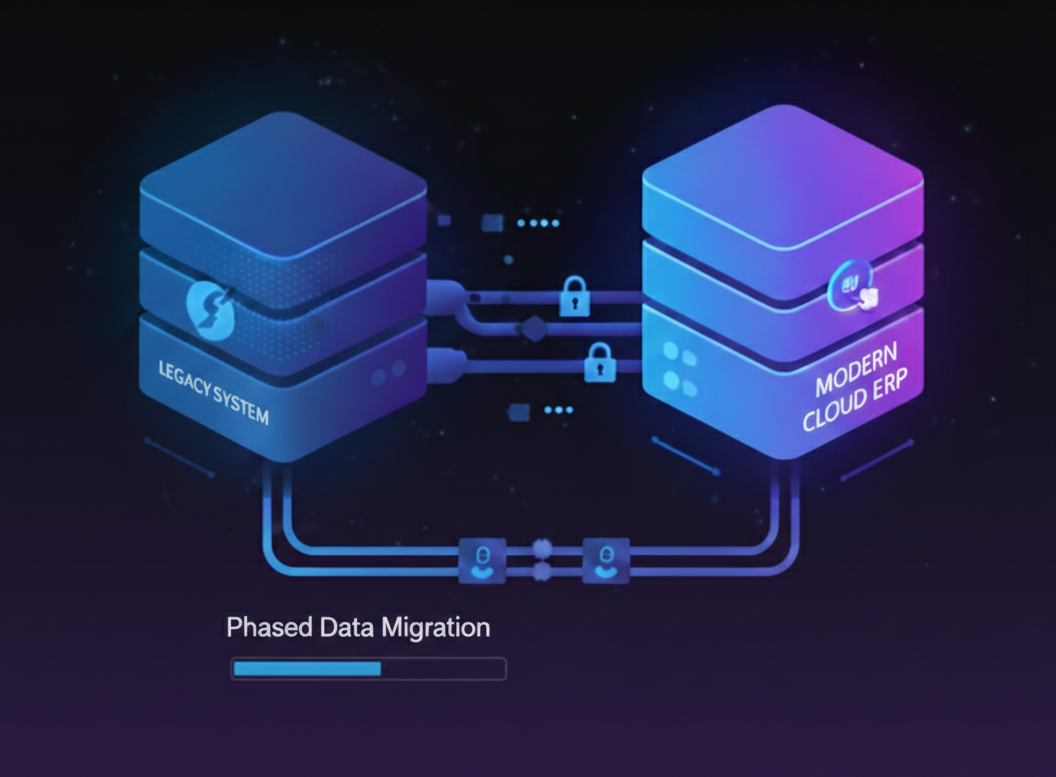
Legacy and new systems coexist during migration
No downtime-first approach
Operations continue while systems modernize
Architecture before tools
Platform-agnostic, integration-focused design
What is ERP Migration?
ERP migration is the process of transitioning from a legacy financial or operational system to a modern ERP platform. It involves re-architecting business processes, migrating data, rebuilding integrations, and ensuring operational continuity during the transition. For growing companies, this often means moving from QuickBooks or similar accounting software to a full ERP system that supports complex operations, multi-department workflows, and advanced reporting.
Why Companies Outgrow QuickBooks
QuickBooks is a strong starting point for small businesses. It handles basic accounting, invoicing, and financial reporting effectively. However, businesses outgrow QuickBooks when operations, reporting, inventory, approvals, or multi-department coordination become more complex. Understanding QuickBooks limitations and when to migrate to an ERP is critical for growing businesses.
Fragmented Systems
QuickBooks becomes one tool among many. CRM, inventory, operations, and reporting live in separate systems. Teams manually export data between platforms, creating version control problems and reconciliation gaps.
Limited Reporting
Financial visibility requires exporting data to spreadsheets. Custom reports are difficult or impossible to generate. Multi-entity consolidation and departmental reporting require manual work.
Inventory and Operations Complexity
As product lines expand and operations scale, QuickBooks inventory management becomes inadequate. Multi-location tracking, work orders, bill of materials, and production workflows require more robust systems.
Growing Teams and Permissions
QuickBooks user permissions are limited. As teams grow, fine-grained access control, approval workflows, and audit trails become essential for compliance and operational control.
Manual Reconciliations
Month-end close becomes increasingly time-consuming. Data must be manually reconciled across disconnected systems. The risk of errors increases as transaction volume grows.
What ERP Migration Actually Means
Most businesses think ERP migration is about selecting new software. It is not. ERP migration involves four major layers, each with distinct technical and organizational challenges.
1. Business Process Architecture
How work actually flows across departments. This includes approval hierarchies, data ownership, cross-functional dependencies, and operational workflows that must continue during migration.
2. System Architecture
How systems connect, where data lives, and how integrations maintain continuity. This layer determines whether migration can happen incrementally or requires a risky big-bang cutover.
3. Data Migration
Moving financial history, customer records, inventory data, and transactional records from legacy systems to the new platform while maintaining accuracy, compliance, and auditability.
4. Implementation and Adoption
Training teams, validating workflows, and ensuring the new system supports day-to-day operations without disrupting business continuity or creating operational gaps.
Start With an ERP Discovery & Architecture Phase
ERP migration projects fail when businesses begin with software selection instead of architecture.
Before implementation begins, we conduct a structured discovery and architecture phase to define system design, data strategy, and integration requirements.
This phase includes:
- System architecture and integration design
- Business process mapping
- Data migration and reconciliation planning
- Risk identification and dependency mapping
- Timeline and cost validation
ERP Discovery & Feasibility Review
Starting at $5,000
Initial assessment of readiness, system requirements, and migration complexity
ERP Discovery & Architecture Blueprint
Starting at $10,000+
Complete system architecture design, platform selection, and implementation roadmap
This phase reduces implementation risk, prevents costly rework, and ensures the correct system is designed before execution.
Architecture-First ERP Migration Approach
We approach ERP migration as a systems architecture problem, not a software replacement exercise. Our methodology prioritizes business continuity, data integrity, and operational stability over speed.
1. System Audit
Map existing systems, integrations, data flows, and dependencies. Identify critical operations that cannot be disrupted. Document business processes that must continue during migration.
2. Architecture Design
Design coexistence models that allow legacy and modern systems to run in parallel. Define phased migration paths, reconciliation frameworks, and rollback procedures.
3. Platform Selection
Choose ERP platforms based on architectural requirements, not vendor relationships. Prioritize integration capabilities, data flexibility, and operational fit over marketing claims.
4. Controlled Migration
Migrate incrementally—finance first, then inventory, then operations. Validate each phase independently. Cutover happens only when the new system is stable and validated.
Architecture-First Approach
Learn how our methodology prioritizes system design before technology selection.
System Integration
See how we rebuild and validate integrations during ERP migration.
Cloud Migration
Understand how we migrate from on-premise legacy systems to cloud platforms.
ERP Data Migration Checklist
Review our complete data migration validation framework.
Benefits of ERP Migration
Unified Visibility
Finance, operations, inventory, and reporting live in one system. Teams work from a single source of truth. Real-time visibility eliminates manual data reconciliation.
Operational Efficiency
Automated workflows reduce manual work. Approval processes become consistent. Integration between systems eliminates duplicate data entry and reduces errors.
Scalable Infrastructure
Modern ERP platforms support multi-location operations, multi-entity consolidation, and complex organizational structures without expensive customization. ERP migration projects for growing businesses typically range from $30,000 to $150,000+ depending on complexity, integrations, and operational requirements.
Stronger Decision-Making
Accurate, timely reporting enables better business decisions. Financial forecasting improves. Departmental visibility increases. Compliance and audit trails become manageable.
Common ERP Migration Mistakes
Starting with Software Instead of Architecture
Organizations select an ERP platform before understanding their system architecture, data flows, and integration requirements. This leads to forced compromises and costly rework when the chosen platform does not support actual business needs.
Migrating Bad Data
Legacy systems contain years of inconsistent, duplicate, or incomplete data. Migrating this data without cleansing creates problems in the new ERP. Bad data compounds over time and becomes harder to fix post-migration.
Ignoring Process Redesign
ERP migration is an opportunity to improve business processes. Organizations that replicate legacy workflows in the new system miss the chance to eliminate inefficiencies, streamline approvals, and modernize operations.
Rushing Implementation
Vendors push aggressive timelines to close deals. Organizations rush cutover before the new system is validated. The result is operational chaos, data integrity issues, and loss of business continuity.
Avoid Costly ERP Migration Mistakes
Most migration failures happen due to poor planning and lack of architecture.
Start with a discovery phase to define the right approach before committing to a platform.
Book a Discovery SessionWhen to Consider ERP Migration
Growing companies typically consider ERP migration when their current systems can no longer support operational complexity. Here are the most common signs:
ERP Migration Planning Resources
ERP migration requires careful planning and realistic expectations. These resources help organizations understand timelines, costs, and decision points before beginning migration.
Outgrowing QuickBooks
Understand the operational signals that indicate QuickBooks can no longer support your business complexity.
Read moreQuickBooks vs ERP
Compare the capabilities of accounting software versus full ERP systems for growing organizations.
Compare platformsQuickBooks Limitations
Explore the technical and operational constraints that make QuickBooks unsuitable for complex businesses.
Learn moreWhen to Upgrade from QuickBooks
Identify the decision points and timing considerations for moving from QuickBooks to ERP.
View guideERP Migration Cost
Understand the cost factors, budget considerations, and financial planning for ERP migration projects.
See cost breakdownERP Data Migration Checklist
Review the complete data validation framework used to ensure data integrity during migration.
View checklistERP Implementation Timeline
See realistic timelines for phased ERP migration and what each implementation phase involves.
View timelineERP Migration Case Studies
Review real ERP migration projects showing architecture decisions and migration outcomes.
View case studiesWhat We Migrate
ERP Migration in Manufacturing & Production Environments
ERP migration risk is highest in manufacturing. Production cannot stop. Bills of materials must remain accurate. Inventory counts must stay synchronized. Shop floor systems must continue tracking work orders and material flow.
We specialize in manufacturing ERP migrations because we understand the operational complexity. We have migrated legacy systems in multi-location manufacturing environments where downtime was not an option and data accuracy was mission-critical.
Manufacturing-Specific Considerations
- Work order and production schedule continuity during migration
- Bill of materials (BOM) accuracy and versioning across systems
- Real-time inventory synchronization between legacy and new ERPs
- Shop floor integration and MES system connectivity
- Multi-location, multi-entity manufacturing coordination
How ERP Migration Connects to Our Core Services
System Integration
ERP systems do not operate in isolation. They connect to CRM, accounting, inventory, reporting, and operational tools. We map, rebuild, and validate every integration during migration.
Learn about our integration approachCloud Migration
Many ERP migrations involve moving from on-premise legacy systems to cloud-based platforms. We design cloud architecture that supports coexistence, phased migration, and operational continuity.
See our cloud migration methodologyArchitecture-First Approach
ERP migration is one of the highest-risk architectural challenges an organization faces. Our architecture-first methodology prioritizes system design, data flow, and integration continuity before technology selection.
Read about architecture-first designProof & Experience
We have led ERP migrations in multi-entity manufacturing and operations-heavy environments where continuity was non-negotiable. Our clients include organizations with legacy custom ERPs, on-premise accounting systems, and complex integrations across finance, production, and logistics.
We do not publicize client names, but our ERP migration case studies demonstrate the architectural complexity and operational risk we have successfully managed. These are not vendor implementations—they are full-scale system modernizations where failure was not an option.
Modernizing a Legacy ERP Without Disrupting Operations
Context / Background
A multi-entity organization operating across three business divisions had standardized on a tier-one ERP platform over a decade ago. The system supported complex financial consolidation, multi-currency operations, and extensive custom workflows. However, increasing licensing costs, rigid customization requirements, and slow feature releases had made the platform increasingly difficult to justify from both a financial and operational perspective.
The organization processed thousands of transactions monthly across subsidiaries, maintained strict audit requirements, and could not afford disruption to month-end close processes or financial reporting accuracy.
The Challenge
The existing ERP had become a structural liability. Customizations built over years had created dependencies that were expensive to maintain and difficult to extend. Integration with newer systems required costly middleware. Licensing costs had increased significantly without corresponding improvements in functionality or user experience.
Migration risk was substantial. The system contained over ten years of financial data, complex approval hierarchies, and deeply embedded business logic. A traditional "lift and shift" migration would have failed—there was no architectural equivalence between the legacy system and modern cloud platforms. Attempting a direct replacement would have compromised data integrity, disrupted operations, and potentially created compliance gaps during the transition.
Most critically, the organization needed continuity. Month-end close, financial consolidation, and statutory reporting could not be interrupted. Any migration approach that required a hard cutover would have been unacceptable.
Architecture-First Approach
We designed a coexistence model that allowed the legacy ERP and the target cloud platform to operate in parallel during the transition. This approach prioritized data integrity and operational stability over speed.
The architecture established phased migration paths for financial data, transactional history, and operational workflows; reconciliation frameworks to validate data accuracy at every stage before cutover; parallel processing windows where both systems processed transactions simultaneously for validation; and rollback procedures in case any phase revealed issues requiring correction.
Rather than migrating all entities at once, we sequenced the transition by business unit, validating each migration independently before proceeding. This reduced risk and allowed the organization to maintain confidence in financial accuracy throughout the process. Learn more about our architecture-first approach.
Execution Platform
Following the architectural design phase, Zoho was selected as the execution platform. The organization required unified finance, CRM, and analytics capabilities, and Zoho provided an integrated foundation that eliminated the need for separate systems and middleware integrations.
Zoho Books handled core accounting and financial consolidation, Zoho CRM unified customer data across divisions, and Zoho Analytics provided consolidated reporting that had previously required manual assembly from multiple sources. The platform's API architecture aligned with the integration patterns defined during the design phase, simplifying the coexistence model implementation.
Outcome
The migration was completed without operational disruption. Financial close processes continued on schedule throughout the transition, and no reporting deadlines were missed. Post-migration reconciliation confirmed data integrity across all entities and subsidiaries.
The organization achieved significant cost reduction by eliminating per-user licensing fees and reducing the infrastructure required to support the legacy platform. More importantly, the new architecture provided flexibility—business units could now adapt workflows, add integrations, and expand capabilities without requiring expensive customization or vendor dependency.
Manufacturing ERP & Finance Modernization
Context / Background
A mid-market metal fabrication company had built its operations around a vertical-specific ERP system designed for manufacturing environments. The system managed production scheduling, inventory, job costing, and financial operations, but had become increasingly fragile. The platform was maintained by a small vendor with limited development resources, and critical updates were often delayed or unavailable.
The company operated multiple production facilities, managed complex bill-of-materials structures, and required accurate job costing to maintain margin visibility. Financial operations included purchase order management, vendor payment processing, and job-based revenue recognition—all tightly integrated with production workflows.
The Challenge
The legacy ERP could no longer support the company's operational requirements. Integration with newer systems was difficult or impossible. Reporting required manual data extraction and spreadsheet manipulation. The user interface was outdated, and training new employees was time-consuming.
More critically, the system's stability had degraded. Periodic performance issues disrupted production scheduling, and the risk of a catastrophic failure—potentially halting operations—had become a board-level concern.
Replacing the ERP was complicated by the depth of integration between finance and production. The company needed job costing to remain accurate, production schedules to stay synchronized with inventory and purchasing, and financial reporting to continue without interruption. A naive migration that treated finance and operations as separate systems would have created reconciliation problems and operational chaos.
Architecture-First Approach
We designed the migration as a unified finance and operations modernization, not as a simple software replacement. The architecture prioritized continuity of production operations while systematically modernizing financial workflows.
The approach included parallel operation windows where both legacy and cloud systems processed transactions to validate accuracy; staged migration of master data (customers, vendors, items, BOMs) with validation checkpoints; job costing reconciliation to ensure accurate margin visibility before final cutover; and production continuity safeguards to ensure no disruption to scheduling, fulfillment, or shipping.
Rather than attempting a single cutover, we transitioned financial workflows incrementally—accounts payable first, then receivables, then job costing and revenue recognition. This allowed the finance team to validate each area independently and maintain confidence in reporting accuracy. See how we approach manufacturing & production system modernization.
Execution Platform
Zoho Finance and Zoho Books were selected as the execution platform based on their ability to support manufacturing-specific financial workflows—job costing, inventory valuation, multi-location operations—without requiring extensive customization.
The platform's integration capabilities allowed seamless connection to production systems, maintaining real-time synchronization between operations and finance. Zoho Analytics provided consolidated visibility into margin, job performance, and operational efficiency that had previously required manual report generation.
Outcome
The company successfully modernized its financial operations without disrupting production. Job costing accuracy was maintained throughout the transition, and financial close processes continued on schedule. The risk of legacy system failure was eliminated, and operational confidence was restored.
Post-migration, the organization gained capabilities that were previously unavailable—automated purchase order approvals, vendor payment workflows, and real-time job margin visibility. The finance team no longer needed to manually extract and reconcile data across systems. The new architecture positioned the company for future expansion without costly ERP customization.
Frequently Asked Questions
What is ERP migration?
When should a company move from QuickBooks to ERP?
How long does ERP migration take?
What affects ERP migration cost?
Why does architecture matter before ERP selection?
Can ERP migration be done without downtime?
ERP Migration Should Start With Architecture, Not Software
If your systems are becoming fragmented, reporting is delayed, or operations are difficult to manage, the next step is not selecting software—it's understanding your architecture.
Start with a structured discovery phase to design the right system before implementation.